What is a one-way video interview?
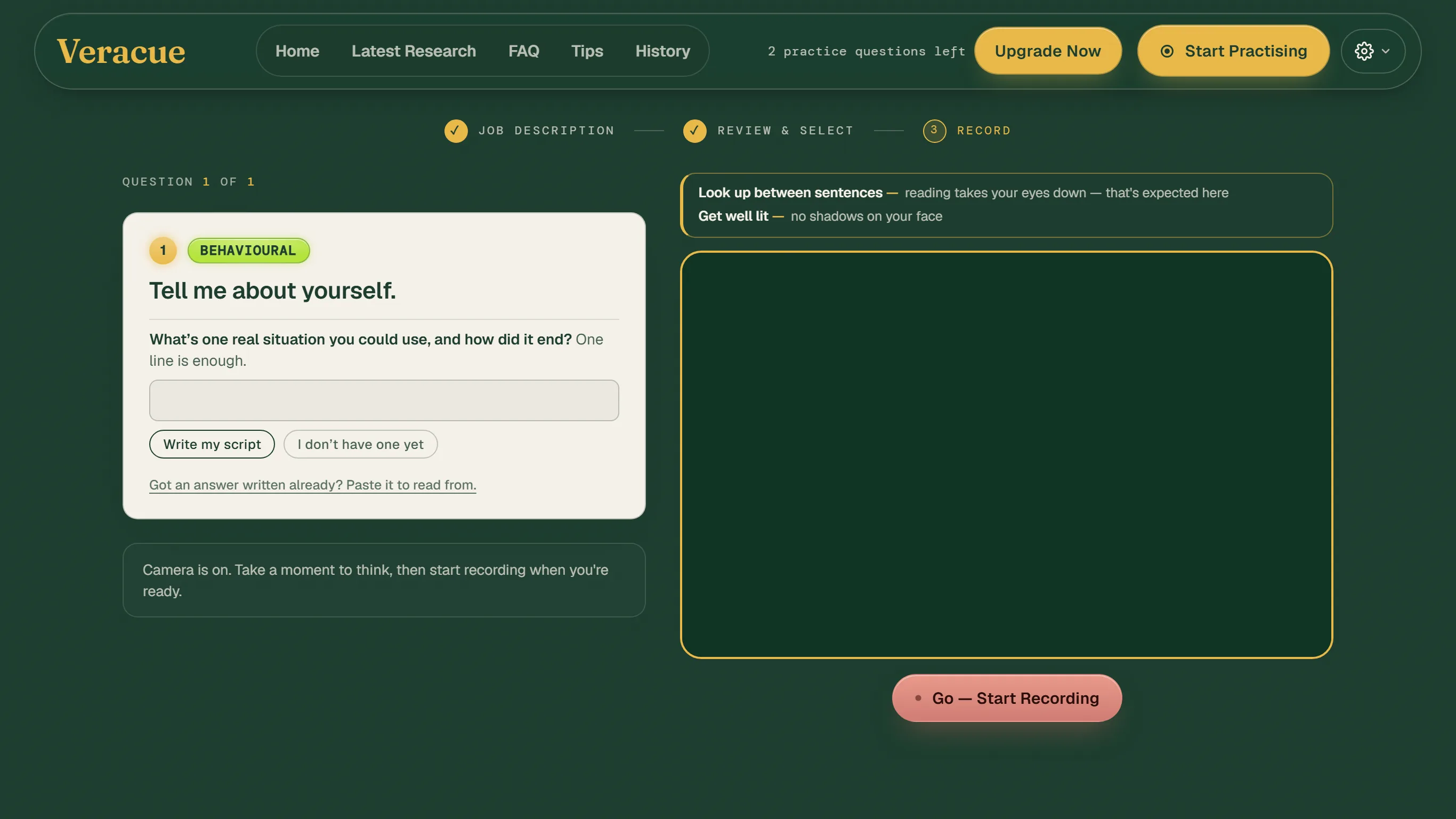
A recorded interview with nobody on the other end: questions appear one at a time, you get a short think, and your answer is recorded against a clock.
Graduate programmes and clerkship rounds in Australia often put one of these between the application and the first conversation with a person. The best-known platform is HireVue; Vieple is an Australian platform of the same kind, and there are others. The shape is the same across them: a question appears, you have a set time to think, the camera records your answer for a set time, and you may or may not get a second take, depending on what the employer has configured. HireVue’s own guidance to candidates says most on-demand interviews ask for an answer “in just a few minutes” and that you will usually get a practice question first. What you will not get is a face reacting to you, which is the thing that makes this format different from every interview you have practised for.
Why does the format change how you come across?
Because there is no interviewer to carry the conversation, so structure, pace, eye contact with the lens and a planned ending do all the work.
- No reactions. In a room you read nods and adjust. On a recording you are talking to a lens, and most people either speed up or trail off. Your ending has to be decided before you start.
- The clock is visible. A countdown on screen pulls answers short or pushes them into a rush at the end. An answer with a known shape sits comfortably inside it.
- The lens is the interviewer. Your own preview and the question text both pull your eyes away from the camera. HireVue tells candidates not to worry about eye contact with the camera; whoever watches the recording will still see where you looked, so it is worth a little practice without becoming a fixation.
- Framing and light are yours to set. Nobody adjusts the room for you. Lit from behind, or with the camera below eye level, you look worse than you are, and that is avoidable in five minutes.
- One take, usually. Some employers allow a retake, some do not. Practise as if there is one.
How should I practise for one?
Recreate the conditions: an unseen question, a short think, one take against a clock in the room you will use, then review the recording and fix one thing.
- Set the room once. Camera at eye level, face a window or a lamp, a plain background, headphones if the room echoes. Keep it exactly the same for the real thing.
- Prepare stories, not scripts. Six to eight real examples as bullet points, each able to answer several questions. A memorised script read into a lens is the most visible thing in this format.
- Answer unseen questions, on camera, first take only. Give yourself thirty seconds to think and two minutes to answer, and stop when the time is up even if the answer is not finished. That is the skill.
- Watch it back, then read the transcript. The recording shows where your eyes went and what the first ten seconds looked like. The transcript shows whether you answered the question, where you looped, and how it ended.
- Fix one thing per session. The ending first, then pace, then eye contact. Trying to fix everything at once fixes nothing.
This is what a Veracue session is: a question you have not seen, your answer on camera against a clock, and feedback on what you said, your pace, filler words, eye contact and what your face and voice did at which words. On paid plans, simulation mode asks the questions aloud back to back with nothing to press between answers, and a formal interview never shows you the question before it is asked, which is as close to the real format as practice gets.
What are the common mistakes?
Reading a script, treating the practice question as optional, looking at yourself, running out the clock, and leaving the room set-up to the day.
- Reading. Notes beside the screen produce a reading rhythm in the eyes and a flat voice. Prompts of three or four words, directly under the lens, are the most you can get away with.
- Skipping the practice question. It is the only chance to see the timer, the layout and your own framing before it counts.
- Watching your preview. Hide it if the platform allows. A gaze that keeps checking itself reads as uncertain.
- Filling the time. The clock is a maximum, not a target. A ninety-second answer that ends on its result beats a three-minute one that trails off.
- Setting up on the day. Light, camera height and a working microphone are five minutes the day before, not the moment before.
What does Veracue see in video practice answers?
Eyes that drift to the question text or the preview, first answers that open slowly and end abruptly, and pace that climbs once the clock is on screen.
Described in general terms, from the practice answers people record on Veracue. The gaze goes to the words on the screen, especially while reading a script, and the eye-contact figure records it. First answers tend to start with a few seconds of settling and then stop mid-thought when the person senses the time, which is the ending problem in its purest form. Pace rises on the second half of an answer more often than the first. And the gap between how an answer felt and how it read back is widest on camera, which is why watching it back is the part of practice people skip and the part that changes the most.
Where does this advice come from?
From HireVue’s own guidance to candidates, the sources below, and what video practice answers on Veracue show.
- Interview tips for candidates, HireVue: its own description of on-demand interviews, the practice question, lighting and timing.
- Interviewing resources for candidates, HireVue.
- Vieple, an Australian video interviewing platform.
- Job interview, Wikipedia: what interviewers assess and how impressions form.
- Eye contact on camera, Veracue: the lens-versus-screen problem and how to use notes.
- Speaking pace, Veracue: the band, what rushing signals, and how to slow down.
How do I practise this now?
Open a question you have not prepared, answer it on camera in one take, and read the transcript back.
Two answers are free when you practise your interview on camera with Veracue; the Pro, Interview Sprint and Premium plans add more answers, formal interviews and the Veracue Challenge.
Opens the practice page with “Tell me about yourself.” loaded, the question most one-way interviews open with. Two free answers with full Pro feedback; no card needed. New here? You’ll create an account first and land on the question.